
Storage bin inventory
Record what is in each storage bin and where it is.
Give each tote a name, a spot, and a list of what is inside. Photograph an open bin and DrawerPilot proposes the contents; a closed bin gets your own notes. Later, search for the item and the answer names the box and the shelf.
Free to start. Record one useful bin.
What are you looking for?
Search for the item. The result names the bin and the shelf.
Example
Three bins on one shelf.
HAL-01, PARTY-01 and XMAS-01 share the garage shelf. Two of them are closed, so their contents were typed in.
1The shelf
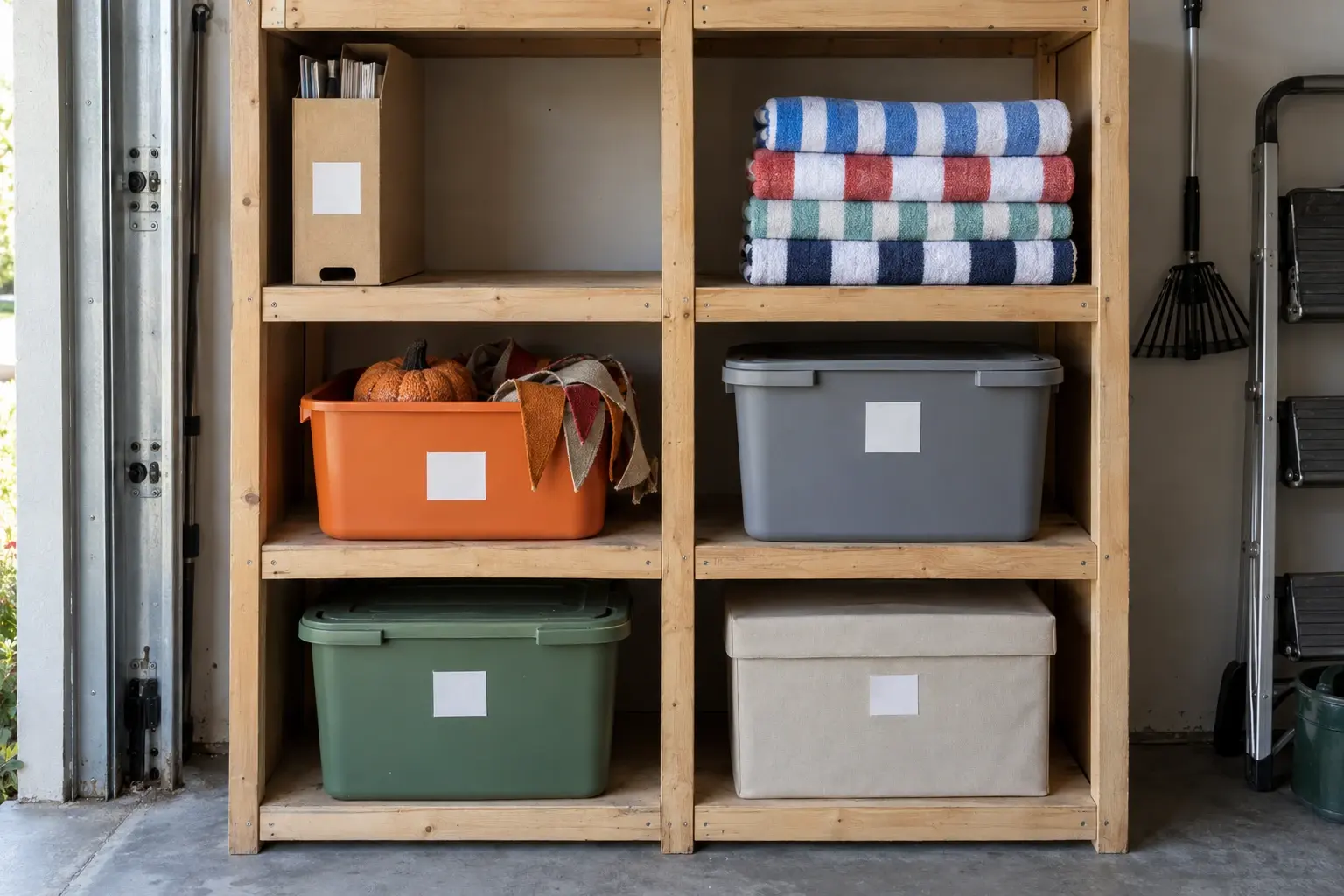
2Three bins, reviewed
Garage
Three spots. Seen items are proposed; closed bins get your note.
3Find the box
Find
Search the item. The result names the bin and the shelf.
Example with fictional data. Nothing is added to a household until someone approves it.
How it works
Three steps, start to finish.
- 1Photograph the open bin, or type the contentsAn open tote in the photo gets its visible items proposed. For a closed bin, add the items yourself. Either way you review the list before it is saved.
- 2Name the bin and save its spotUse the label on the box as the spot name, such as HAL-01, and write the spot code on the lid. The spot keeps its place on the shelf: Garage · Middle left shelf.
- 3Search for the item, then find the boxSearch for pumpkins and the result shows the item, the bin, and the shelf. Smart Search, which understands a plain question, is part of Pro.
One limit. DrawerPilot cannot see through a closed lid. What it records for an opaque bin is what you typed, so update the list when the contents change.
What it does.
- The spot name matches the bin label. The spot name matches what is written on the tote, so the record and the box agree.
- Photograph open bins, type the closed ones. Visible contents are proposed for review. Hidden contents are yours to add.
- Find the item, then the box. The result names the bin and the shelf. No QR codes or label printer needed.
FAQ
Common questions.
Do I need to empty every box?
No. Start with the bin you hunt for most. Photograph it open if you can, or type the contents from memory and fix the list the next time you open it.
Can it see inside closed bins?
No. A closed bin gets the contents you enter. The example on this page marks which items were seen and which were typed.
Can I use my existing labels?
Yes. Use the label as the spot name, and write the short spot code on the box next to it. DrawerPilot does not print labels or scan QR codes.
What happens when a bin moves?
Move the items to the new spot so the search stays right. Nothing tracks the box on its own; the record is what you update.